

On this page (13 sections)
- Async, hybrid or live: which fits your team
- A day-by-day schedule for a two-week sprint
- Handling time zones
- Getting people to participate
- Anchoring: write first, read second
- Posting without your name
- Handling disagreement and sensitive topics
- Deciding action items in writing
- What the AI does (and doesn't)
- Pitfalls
- Formats that suit async best
- Try it in Retro Rabbit
- Related
An async (asynchronous) retrospective runs on a shared board across the whole sprint instead of in one meeting. For a two-week sprint: open the board on day 1, add notes as things happen, nudge mid-sprint, fill gaps and vote on days 8–9, group on day 9, and decide action items on day 10, either in a written thread or in a 20-minute call.
The payoff is better input. A note written the Tuesday a deploy broke is more accurate than one remembered two weeks later, and people who think before they speak get the same airtime as people who don't. The risk is a board nobody touches, so most of this guide is about avoiding that. For the retro as a whole, live or async, see the sprint retrospective guide.
Async, hybrid or live: which fits your team
For a remote retrospective, most teams should start with hybrid: async notes and voting, then a short live call to decide actions. Go fully async or fully live only when your team clearly fits one of the other two.
Ideas and small fixes
Fully async
Little or no working-hour overlap, 8 or more people, and enough trust to disagree in writing without it getting personal. No contentious topic expected.
Clear decisions with owners
Hybrid: async notes + a 20-minute call
At least an hour of overlap, 4–10 people, medium trust or a new team still forming norms, and maybe one topic that needs a real conversation. Most teams should start here.
Repair, alignment or a hard trade-off
Fully live
Everyone shares most of a working day, 3–6 people, low trust or just after a conflict, or a known hot issue: an incident, a reorg, a falling-out.
Two rules override all of this. If a topic is about one person's behavior, take it out of the retro and into a one-to-one. And if the team hasn't met live in months, hold a live retro; async works best for people who already know each other.
A day-by-day schedule for a two-week sprint
A two-week sprint, day by day
From day 1 to day 10, everyone adds notes as things happen: about a minute per note.
-
Day 1
Open the board and post the schedule
Facilitator, 10 min
-
Day 5
Mid-sprint nudge
Facilitator, 10 min
-
Days 8–9
Fill gaps and vote
Everyone, 10–15 min
-
Day 9
Group related notes and name the groups
The closer, 15–20 min
-
Day 10
Decide action items
Everyone, 15–20 min, in a thread or a 20-minute call
Day 1: open the board. The easiest moment is right after the previous retro. In Retro Rabbit, Start New Retro closes the current retro and opens the next board straight away, so notes for the new sprint can start that afternoon. Post a kickoff message in your team chat with the board link, the name of this sprint's closer, and three dates: the mid-sprint check, the voting deadline and decision day.
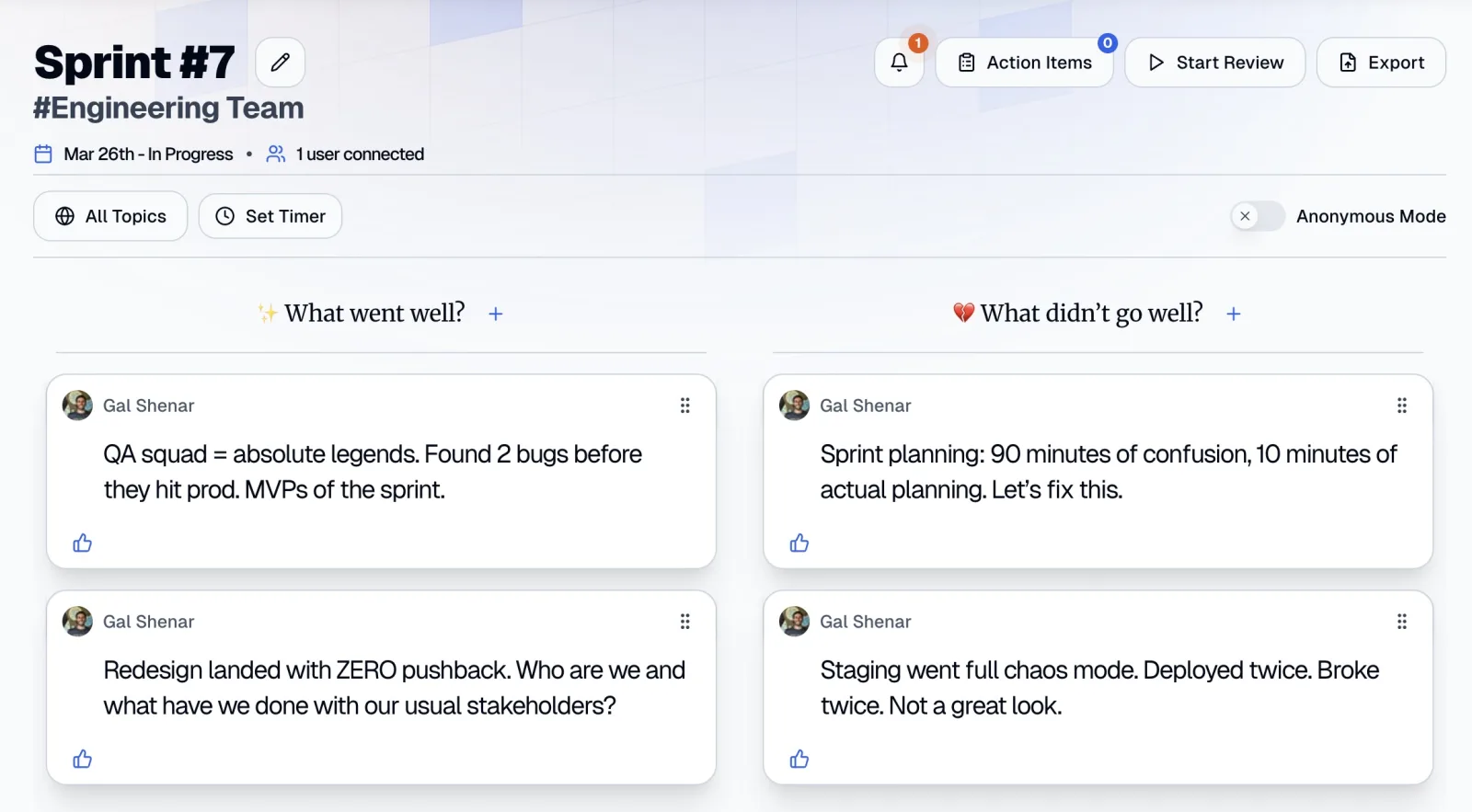
Days 1–10: add notes as things happen. The whole format depends on this habit. When something goes well or badly, write one note right then: on the web board, in the Team Room's Quick Notes box, or with /retro your note if you've connected Slack. One event per note: "Staging was down Wednesday morning and nobody knew who to ask" beats "infra issues".
Day 5: nudge. Look at the board. If a column is empty or half the team hasn't posted, send a nudge (see below), and add a note yourself to the empty column to show what a good one looks like.
Days 8–9: fill gaps and vote. Ask everyone to spend ten minutes on the board: add anything missing, then vote. Notes are visible as soon as they're added, so people can vote any time; the deadline just makes sure they do. If there are many more notes than people, switch on dot voting and give everyone three votes.
Day 9: group and name. The closer drags related notes together. On Pro AI and during the trial, CarrotIQ names each group as you build it, so "staging down Wednesday" plus "couldn't test the checkout fix" becomes one named group instead of two loose notes. What belongs together is the closer's call. Then sort by Most Votes.
Day 10: decide. Either decide in a thread (see "Deciding action items in writing" below) or hold a 20-minute call:
| Minutes | Step |
|---|---|
| 0–3 | Review last retro's action items: done, in progress, blocked or drop |
| 3–15 | Discuss the top two or three groups, highest votes first |
| 15–20 | Agree on one to three action items, each with an owner |
Run the shared timer (Set Timer) so it actually ends at 20. Create the action items, then start the next retro so day 1 of the new sprint already has a board.
Handling time zones
Give every step a 24-hour window. A step open for 24 hours gives every time zone one full working day to respond. Write deadlines as "end of day in the westernmost time zone" or in UTC, and put them in the kickoff message so nobody has to convert.
Rotate a closer. One person per sprint owns the end of the retro: grouping on day 9, posting the top groups, confirming owners on day 10. This is a team agreement, not a tool setting; anyone on the team can start or close a retro. Rotating it spreads the work and gives each time zone a sprint where the retro closes during their working hours.
Rotate the call slot, too. If you run the hybrid call, hold it in the overlap window and alternate who gets the early or late end of it.
This matters more than it sounds.
36%
named a distributed team as a top retrospective challenge
Source: Retrium 2017 survey of 277 people (Retrium is a retro-tool vendor), reported by InfoQ
Async answers that, but only if the schedule respects when people are awake.
Getting people to participate
Nudges
If your team has connected Slack, Retro Rabbit can send DM reminders to add notes, on the weekdays and at the time each person chooses. Otherwise, use a recurring calendar reminder or a short message in your team chat. Make each nudge specific: "Board's at nine notes, mostly in 'What didn't go well?'. Did anything go well this week? One note takes 30 seconds. Voting closes Thursday, end of day UTC."
Nudge three times at most: at kickoff, mid-sprint, and the day before voting closes. More than that and people mute it.
Response-rate expectations
Expect uneven input: some notes early, a quiet middle, and a burst before the voting deadline. That's normal. Set a modest bar: everyone adds at least one note and uses their votes before decision day. Not everyone will post every week.
What's worth acting on is a pattern: if someone posts nothing two sprints in a row, ask them privately whether the format or the timing isn't working for them. The All Retros list shows note and participant counts for each retro, so you can see the trend without counting by hand.
Seed the board
An empty board is intimidating. In the first few days, the facilitator adds two or three real notes in different columns:
What went well?
"Pairing with Jun on the auth refactor got the PR through review in one round."
What didn't go well?
"Thursday planning ran 40 minutes over and we still didn't size the payments stories."
What did we learn?
"Feature flags let us ship the search change without a release freeze."
People copy what they see. Specific seed notes get specific notes back.
Anchoring: write first, read second
In Retro Rabbit, notes appear on the board as soon as they're added. That's what lets people vote and build on each other's notes during the sprint, but early notes can anchor later ones. If the first three notes are about the deploy pipeline, everyone else starts writing about the deploy pipeline.
If anchoring is a concern, ask people to write their first-pass notes before reading anyone else's. Notes written in the moment are naturally independent, because there's little on the board yet.
Posting without your name
Some things are easier to write without a name attached. In Retro Rabbit, switch off Show Name on the board, or in My Profile, and your notes appear without your name. Be straight with the team about what that means: your name isn't shown, but on a team of five, writing style and context often give people away, and votes show who voted.
Use it for notes like "I still don't understand why we committed to this deadline." Criticism of a specific person doesn't belong on a retro board, with or without a name.
Handling disagreement and sensitive topics
Writing works well for ideas and badly for tension. Discuss notes in a thread in your team chat, one thread per group, and move to a call when you see any of these:
- more than two rounds of back-and-forth between the same two people
- someone's tone sharpens, or someone who usually writes goes quiet
- a real trade-off that needs everyone's agreement, not just a thumbs-up
- the topic is about a person, not a process
When that happens, the closer says so in the thread ("Let's take this to 15 minutes tomorrow at 09:00 UTC"), then posts the outcome back in writing for anyone who couldn't join.
Async helps quieter people get ideas in. In the same Retrium survey, 44% said people not feeling comfortable speaking up was a top challenge. But a hard conversation still needs voices, not paragraphs.
Deciding action items in writing
-
1
The closer posts the top three groups
On day 10, with their names, vote counts and one line each, plus the board link.
-
2
Anyone proposes an action
Before a stated deadline, written as owner + verb + done-when + check date.
-
3
People back the proposals they support
With a reply or reaction. The closer picks one to three, favoring proposals someone has volunteered to own.
-
4
Owners confirm in writing
Silence isn't a yes. An action counts once its owner replies "mine".
-
5
The closer adds them
As action items assigned to each owner, with the check date written into the action text.
A short example:
- Elena (closer): "Top group: Staging Environment Reliability, 11 votes. Proposals by 15:00 UTC."
- Sam: "Sam books 30 minutes with the platform team to agree on a staging owner; done when a name is pinned in the channel. Check: next retro."
- Aisha: "Backing that. I can join the session."
- Sam: "Mine."
More on writing, capping and carrying them forward in retrospective action items that actually get done.
What the AI does (and doesn't)
Async retros produce more writing than live ones, so the admin piles up. On the Pro AI plan and during the free trial, CarrotIQ handles three parts of it:
- Names groups. Drag related notes together and CarrotIQ names the group. Deciding what belongs together stays with the team.
- Writes the Sprint Summary. A short summary per column plus an overall summary, opened from the Team Room under All Retros → Summary. Useful for someone back from leave, or a stakeholder who wants the gist.
- Suggests actions. CarrotIQ Suggest in "Create Action Item" drafts an action from the notes, weighting the most-voted ones and avoiding duplicates of existing items. Edit it before saving.
A summary is a starting point, not the retro. Read the actual notes in the top-voted groups before you decide anything.
Pitfalls
Formats that suit async best
- What Went Well: the default format. Its main weakness is recency bias, and in-the-moment notes fix that.
- Start Stop Continue: the easiest to run async, because every note is a behavior. Add a "Stop" note the moment a meeting wastes your time.
- Sailboat: rocks (risks) show up mid-sprint, so add one the day you spot it.
- 4Ls: the Learned column turns into a running log of things the team figured out during the sprint.
- Mad Sad Glad: feelings captured when they happen are more honest than feelings recalled, but discuss them in a call; emotion reads badly in text.
All five are on the templates page.
Try it in Retro Rabbit
Start a 14-day free trial, no card needed, with CarrotIQ included. Open a board on the first day of your next sprint, share the link, and add the first note yourself. Pricing is per team, not per user: see pricing.
Related
Frequently asked questions
What is an async retrospective?
An async (asynchronous) retrospective is a sprint retro where the team adds notes, votes and agrees on action items on a shared board over several days instead of in one meeting. Many teams add a short live call at the end to decide actions, which makes it a hybrid retro.
How long should an async retrospective stay open?
For a two-week sprint, open the board on day 1 and keep it open the whole sprint so people can add notes as things happen. Give each closing step, such as voting and deciding actions, at least a 24-hour window so every time zone gets a working day to respond.
Are async retrospectives better than live ones?
They are better at capturing what happened, because notes are written while events are fresh, and they suit teams spread across time zones. Live retros are better for conflict, low trust or a hard trade-off. Most remote teams do well with a hybrid: async notes and votes, then a 20-minute call.
How do you get people to participate in an async retro?
Open the board on day 1, seed it with two or three specific example notes, and nudge at most three times with a concrete gap and a deadline. Set a modest bar, such as everyone adding at least one note and voting before decision day, and check in privately with anyone who stays quiet for two sprints.
Can you run an async retrospective anonymously?
Many retro tools let people post without their name shown; in Retro Rabbit you switch off Show Name. On a small team, writing style and context can still give someone away, so treat it as a way to lower the barrier rather than a guarantee, and keep criticism of individuals out of the retro.
How do you decide on action items without a meeting?
Post the top three voted groups in a thread and ask for proposals written as owner, verb, done-when and check date. Let people back the ones they support, pick one to three, and only count an action once its owner confirms in writing.
Run retros that actually lead to change
Your team adds notes during the sprint, CarrotIQ groups and summarizes them and suggests action items, and unfinished items carry into the next retro.
14-day free trial · No credit card