

On this page (8 sections)
This post first appeared on our old blog in 2021 (by Ben Staples). We've rewritten and updated it for 2026.
The problem teams complain about most is that retrospectives take too long. The problem that does the most damage is that nothing changes afterward. In 2021, when we asked teams about their biggest retro problem, the most common answer was the length of the meeting. Five years and several vendor surveys later, the clearer answer is follow-through: teams agree on actions and then don't do them. Long meetings, skipped retros and fuzzy memories are often symptoms of that.
This post covers all four problems, with a concrete fix for each.
What teams told us in 2021
Ben Staples, who wrote the original version of this post, ran an informal LinkedIn poll in 2021 asking what the biggest pain point in retrospectives was. We don't know the sample size, so read it as a signal, not a study. The top answers:
The biggest pain point in retrospectives, 2021
Share of votes in an informal poll (sample size unknown)
Source: Ben Staples, informal LinkedIn poll (2021)
The 2021 post listed three problems but only covered two; it never got to "not enough retrospectives". Here are all three, then the one we'd put first today.
Problem 1: The retro takes too long
Some teams really do hold two- or three-hour retros. More often the meeting just feels too long compared with what the team gets out of it. Both usually have the same causes:
Writing in the meeting
On many teams, half the retro is people silently typing notes they could have written during the sprint.
Reading every note
Going around the room so each person presents their full list scales badly as the team grows.
Discussing before voting
Without a vote, the first topic gets 30 minutes because it came first, not because it mattered most.
No timebox per part
The most interesting problem eats the time reserved for agreeing on actions.
For scale, the Scrum Guide caps the retrospective at three hours for a one-month sprint and says shorter sprints usually need less. For a two-week sprint, 45 to 60 minutes is common.
Fix: shorten the meeting, and protect what matters
Vote before you discuss. Group related notes, give everyone three dot votes, and discuss only the top three groups. Everything else stays on the board for anyone who wants to follow up.
Use a timer to protect the part your team values most. Teams get different things out of a retro:
- Hearing new ideas, especially from quieter people who don't get room in the normal flow of work
- Venting, in a healthy way, about something frustrating. If this is what your team needs, a format like Mad Sad Glad gives it a column of its own
- Agreeing on action items with a clear owner and a definition of done for each
- Team bonding, which on some teams happens in the first ten minutes and has nothing to do with the sprint
Pick the one your team values most and give it a fixed block. Say your team gets the most from action items, and agreeing on them takes 15 minutes. Set the timer for discussion to end 15 minutes before the meeting does, and when it goes off, discussion stops, even mid-topic. In Retro Rabbit, Set Timer runs a countdown everyone on the board can see.
Collect notes before the meeting. This is the biggest time saver, and it's the same fix as Problem 3. When notes arrive during the sprint, the meeting can start at grouping and voting.
Here's a 30-minute retro for a two-week sprint when notes were added during the sprint:
| Time | Step |
|---|---|
| 0–5 min | Review last retro's action items |
| 5–8 min | Add anything missing |
| 8–13 min | Group related notes and vote |
| 13–25 min | Discuss the top two or three groups |
| 25–30 min | Agree on one to three action items, each with an owner |
Problem 2: Not enough retrospectives
"Not enough retros" usually means one of two things. Either retros get cancelled when the sprint is busy, or they happen so rarely (once a quarter, or only at the end of a project) that the details are gone and the lessons arrive too late to use.
Both are common. In Retrium's 2017 survey of 277 people (Retrium is a retro tool vendor), more than one in five said their team doesn't want to hold retros or their organization doesn't support them.
Fix: make it fixed, small and hard to skip
-
1
Put it on the calendar as the last event of the sprint
Recurring, for the next six months. The Scrum Guide is direct: "The Sprint Retrospective concludes the Sprint." In Scrum it isn't optional.
-
2
Shrink it instead of cancelling it
Agree on a 15-minute minimum version in advance: 3 minutes on last retro's actions, 10 on the top two voted groups, 2 to agree one action. A busy sprint gets the short version, never none.
-
3
Go async when you can't meet
If half the team is at an offsite, run it on the board: notes and votes over two days, actions proposed in writing, owners confirmed at standup. See how to run an async retrospective.
-
4
Pick a cadence if you don't use sprints
Kanban and platform teams can hold a retro every two weeks on a fixed day, plus a short extra one after a major release or incident.
-
5
Make retros worth attending
Teams that skip retros usually don't believe they lead to change. That's the follow-through problem below, and fixing it is what makes the meeting defend itself.
Problem 3: Nobody remembers what happened
This is recency bias. By the end of a two-week sprint, people remember last Thursday in detail and the first week barely at all. The retro ends up being about the last three days, and the team fixes the wrong things.
You can see it on the board. Compare notes written from memory on retro day with notes written when it happened:
From memory, on retro day
- "Deploys were flaky."
- "Testing was slow."
Written when it happened
- Day 2, Priya: "Waited a day and a half for the staging database reset. Nobody knew who to ask."
- Day 6, Jun: "Pairing with Elena on the payments migration caught two bugs before review."
- Day 9, Marcus: "The flaky checkout test failed the build four times today."
The second set is specific enough to act on, and it includes a first-week win nobody would have remembered.
Fix: write it down when it happens
- Open the board on day one. Keep the next retro's board open from the moment the last retro ends, and ask for a note the day something goes well or badly.
- Ask for very little. One note a week per person beats a promise to "add stuff before the retro". Give triggers: when you're blocked, when something breaks, when someone helps you.
- Bring shared facts. Before the meeting, the facilitator adds what everyone should see: whether the sprint goal was met, incidents, releases. Esther Derby lists "no shared data" among her eight reasons retrospectives fail.
- Pick a format with a learning column. What Went Well and 4Ls both ask what you learned, which rewards notes written in the moment.
- Make adding a note easy. In Retro Rabbit, clicking Start New Retro closes the current retro and opens the next board straight away. People add notes on the board, in the Team Room's Quick Notes box, or with
/retro your noteif you've connected Slack.
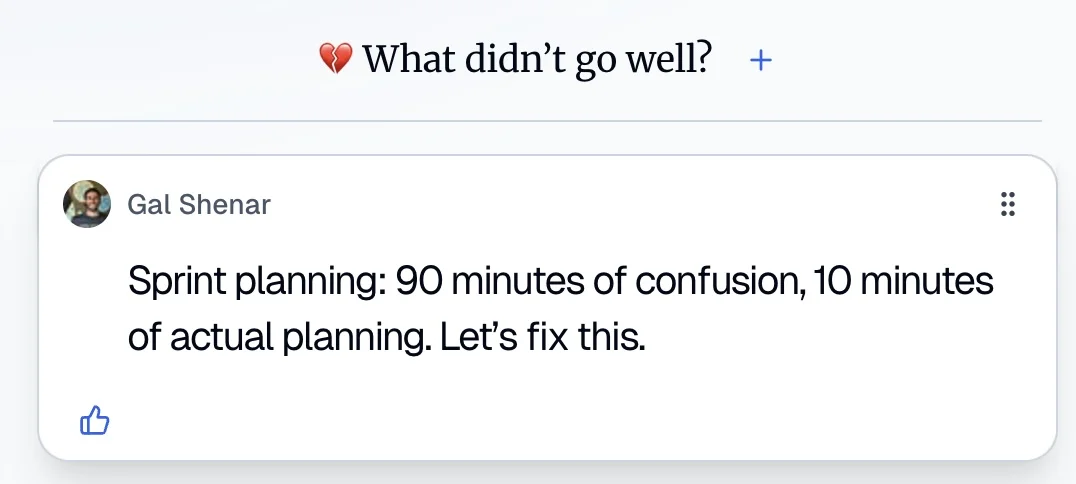
The 2026 view: the biggest problem is follow-through
If we wrote this post from scratch today, this is the problem we'd lead with. The data has caught up with what Scrum Masters have said for years: teams agree on good actions and then don't do them. Easy Agile, a tool vendor, surveyed 419 engineers, product managers and project managers for its State of Team Alignment 2026 report:
Follow-through in one 2026 survey
69%
of teams implement less than 60% of their retro actions before the next retro
28.9%
of actions need changes outside the team's control
20.5%
of actions never make it into sprint planning
In Retrium's 2017 survey, only 33% of respondents named better follow-through on the previous sprint's action items as a benefit of their retros, far behind improved communication (85%) and trust (65%).
Both are vendor surveys, so treat the exact numbers with care. But they point the same way, and they explain the other three problems. When nothing changes, the meeting feels too long, it's the first to be cancelled, and people stop bothering to write anything down.
Fix: close the loop every sprint
The follow-through loop
- 1Review last retro's actions
- 2Agree on one to three
- 3Owner, verb and date
- 4Put the work in the sprint
- ↺ Every sprint
- Open every retro with last retro's actions. Five minutes. Mark each one done, in progress, or dropped on purpose. If nothing got done, that's your first topic.
- Agree on one to three actions. Derby recommends choosing one or two, and the Agile Alliance notes that one or two improvement ideas per iteration may be enough.
- Give each one an owner, a verb and a date. "Fix staging" becomes "Marcus writes down who owns staging and posts it in the team channel by Friday."
- Put the work in the sprint. The Scrum Guide says the most impactful improvements may even be added to the Sprint Backlog for the next Sprint. An action that isn't in the plan competes with sprint work and usually loses.
- Turn outside problems into a conversation. When an action needs someone outside the team, the action is the ask: "Aisha raises the shared staging budget with the platform lead on Tuesday and reports back at the next retro."
Retro Rabbit is built around this loop. Assign To is required on every action. At the next retro, the Previous Retro tab shows what you agreed last time, and Old / Unresolved Items keeps older open actions in view. With CarrotIQ, on the Pro AI plan and in the trial, CarrotIQ Suggest drafts an action that weights the most-voted notes, for you to edit. For the full playbook, see retrospective action items that actually get done.
Where to start
-
1
Change the first five minutes
If you change only one thing, review last retro's actions before anything else.
-
2
Move note-writing into the sprint
Take it out of the meeting. Open the board on day one and add notes as things happen.
-
3
Let the rest follow
Shorter meetings and fewer cancellations tend to follow, because the retro starts to visibly change things.
For the wider picture, including formats, agendas and who should attend, see the sprint retrospective guide. If your retros have problems beyond these four, how bad retrospectives can sink a team has a 10-question checklist to score yours.
Try it in Retro Rabbit
Open a board at the start of your next sprint and let the team add notes as things happen, then start the retro with last sprint's actions already on screen. The 14-day free trial needs no card and includes CarrotIQ. See pricing for the per-team plans.
Related
Frequently asked questions
What are the most common problems with retrospectives?
Meetings that run too long, retros that get skipped, people forgetting what happened early in the sprint, and actions that never get done. In an informal 2021 LinkedIn poll, 45% picked 'the meeting takes too long'. More recent vendor surveys point at follow-through: Easy Agile's 2026 survey found 69% of teams implement less than 60% of their retro actions.
Why do retrospectives fail?
Usually because nothing changes afterward. When actions are vague, unowned or never reviewed, the same issues come back every sprint and people stop seeing the point. Review last retro's actions first, agree on one to three new ones with an owner each, and put the work in the sprint backlog.
How long should a sprint retrospective take?
The Scrum Guide caps it at three hours for a one-month sprint and says shorter sprints usually need less. For a two-week sprint, 45 to 60 minutes is common, and 30 minutes is often enough when notes were added during the sprint.
What can we do if our retrospective takes too long?
Shorten the slot and keep the structure: collect notes before the meeting, vote before discussing, and only discuss the top two or three groups. Use a timer to protect the part of the meeting your team values most, such as agreeing on action items.
How often should a team hold retrospectives?
In Scrum, every sprint, because the retrospective concludes the Sprint. Teams that don't use sprints usually pick a fixed cadence, such as every two weeks, plus a short extra retro after a major release or incident. When the team is busy, shorten the retro rather than skip it.
How do you remember what happened during a sprint?
Write it down when it happens. Open the retro board on the first day of the sprint and ask everyone to add a note when something goes well or badly. Before the meeting, the facilitator adds shared facts such as whether the sprint goal was met, incidents and releases.
Run retros that actually lead to change
Your team adds notes during the sprint, CarrotIQ groups and summarizes them and suggests action items, and unfinished items carry into the next retro.
14-day free trial · No credit card